Deutsch
 English
-
Pinned chatlogs.de
Stuck? Just ask.
-
chatlogs.de
119 answers in plain words.
-
I watch streams
Reading & searchingHow do I read the chat of a particular day?12 My fileWhat is “My file”?9 Data & opt-outHow do I stop my messages from being stored?12 Account & sign-inWhat happens when I sign in with Twitch?9I stream
Setting up overlaysHow do I add an overlay to OBS?7 Clip overlayHow do new clips get into the overlay, and why is one sometimes missing?6 Prize wheelHow does the prize wheel work?4 ChatboxMy chatbox stays empty – how do I test it?6 Stream statsWhat do the stream stats show?5 Subathon timerHow do subs, Bits and raids extend my subathon?15 My channelHow do I suggest a channel – or submit my own?10No answer that fits? Write to us and we’ll look into it.
Ask a questionReading & searching
How do I search and filter chat messages?
How do I find all messages of a particular person?
How can I see which channels are live right now?
Can I follow today’s chat live?
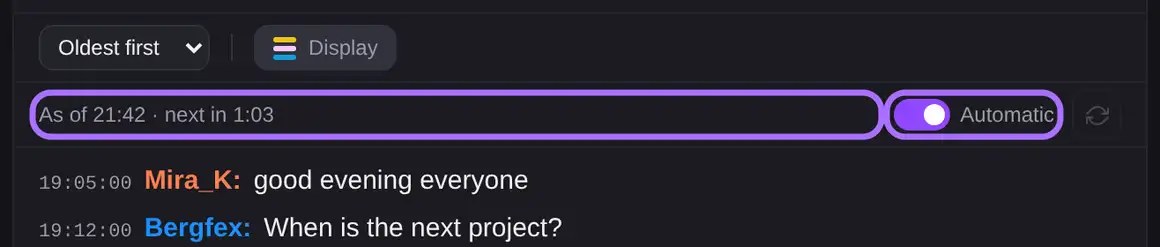
Yes: new messages usually show up within a minute – via “Refresh now”, or on their own once you turn on “Automatic”.
On the current day, “As of” above the chat shows the time the view reaches. “Automatic” fetches new messages at the top of every minute while the tab is visible; the switch starts out off.
Everyone reading the same channel gets the same update – that’s why it only moves on at the full minute. If the moderators delete a message, its text disappears with the next update.